Remove a phone number
Disconnect a number from ChatReach.
Maybe a brand has closed, a location has moved, or you connected a number just to try things out. Whatever the reason, removing a number takes only a moment. It's worth pausing first though, because this one has consequences.
Check this first
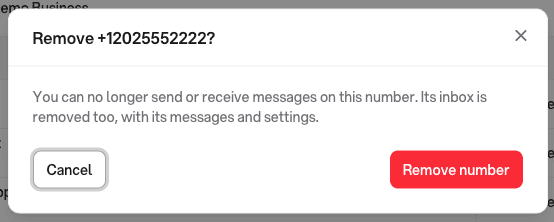
After you remove a number, you can no longer send or receive messages on it in ChatReach. Its inbox is removed too, with its messages and settings.
Before you remove a number
- Save what you need. Copy down anything important from the conversations in that inbox.
- Let your team know. Anyone who answers messages on this number will lose access to its inbox.
- Check your automations and campaigns. Look for anything that still sends from this number, so nothing stops without you noticing.
Remove the number
Find the number
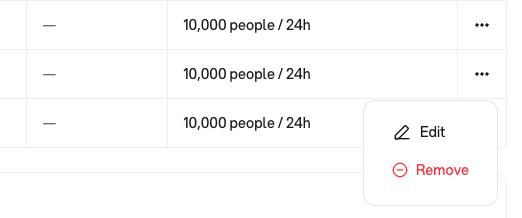
Go to Settings > WhatsApp and find the number you want to remove.
Confirm
ChatReach asks you to double-check. Make sure the number shown at the top is the right one, then click Remove number. Changed your mind? Click Cancel and nothing happens.
Want to connect it again?
If you'd like to use the number in ChatReach again later, follow Connect a phone number. Keep in mind that the messages and settings from the old inbox won't come back.
Still need help?
Our team is happy to help.